
A Christmas gift list that hides what is bought
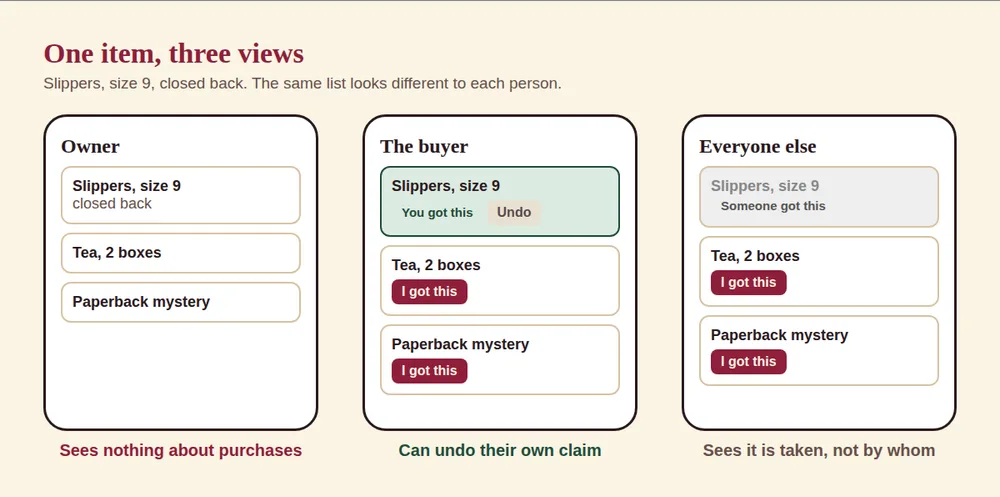
A gift list that hides what is bought splits two jobs: the family sees which items are taken, so there are no doubles, and the person the list is for sees nothing about it. Several services do this in different ways. Elfster, Giftster and Hollyhush hide it by default, and Amazon lets the owner turn it on or off. Below is one item as three people see it.
The problem with the usual ways
| Method | Stops doubles? | Owner can see purchases? | Notes |
|---|---|---|---|
| A group chat | Only if people say so | Often yes, if they are in the chat | Messages scroll away |
| A shared document or spreadsheet | Yes, if people edit it | Yes, they can open it | Needs an account or link access and editing skills |
| A store wish list | Depends on the store | Amazon: your choice in a setting. Others: check. | Limited to one store |
| Hollyhush list | Yes, I got this marks an item | No | Any store, no account |
How other services say they handle it
- Elfster: its help center says the owner "won't be notified or see that the wish has been marked as purchased." Buyers must be logged in to mark an item.
- Amazon Gift List: the help page says "If you turn this setting off, purchased items will not appear to you." It also says "People shopping from your Gift List will always see what has been purchased."
- Giftster: the App Store listing says "The person who made the list never sees what's been claimed."
- Hollyhush: the same idea without accounts. The buyer taps a button on a link.
How it works in Hollyhush
- You add your gifts and get two links: a private one to edit, and a family link to share.
- Relatives open the family link and see each gift with a buy link.
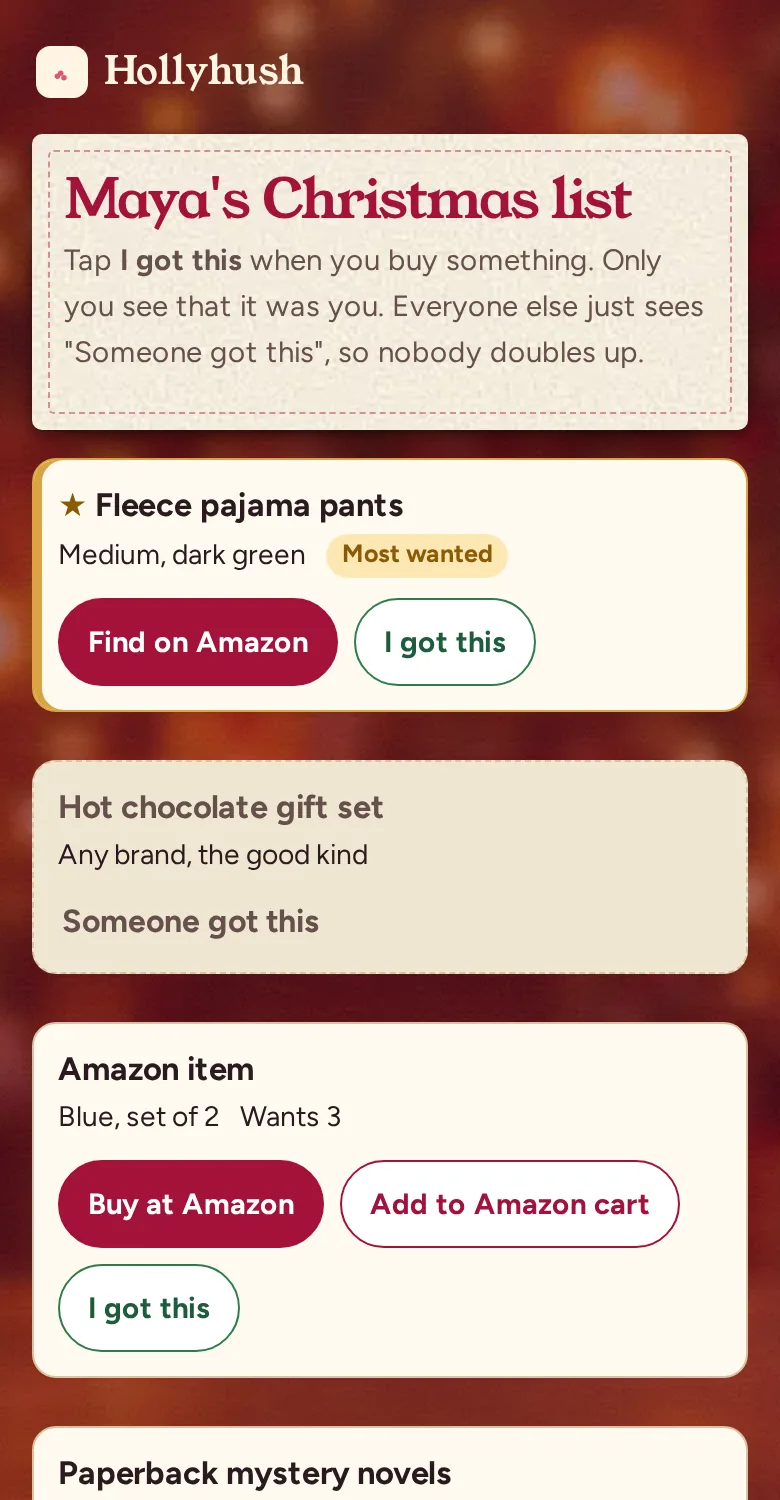
- When someone buys, they tap I got this. Everyone else then sees Someone got this on that item.
- For gifts you want more than one of, you can set how many, and the page shows how many are still needed.
- You never see claims. The page you edit does not load that data, and the family link on your own device hides it too.
What each person sees
| Who | Sees | Cannot see |
|---|---|---|
| The list owner | Their own list: items, notes, stars and quantities | Anything about who bought what |
| The buyer | Their own claim with an Undo button | Other people's names |
| Everyone else | Which items are taken, as Someone got this | Who took them |
| Nobody | Names. There is no account or name on the list. | Not applicable |
The picture above shows the same pair of slippers in all three views.
Why the owner does not see claims
The point of a gift is that it is chosen for you. If you can see that your aunt claimed the blue sweater, you know what you are getting. Hiding claims from the owner keeps the surprise and still stops doubles, because the information is only needed by the people who buy.
Edge cases
If someone buys an item and forgets to tap I got this, nothing breaks, you only risk a double. If two people tap at once, the page counts both against the number wanted. If you want to see what was bought after Christmas, you will have to ask the family, since the list does not show it to you.
For the whole list setup see the Christmas wish list app, or start from a template. If your family draws names, Secret Santa wishlists fill the same need.
Make a list where you never see what was bought. Start my Christmas list
Frequently asked questions
Is there a wish list where I cannot see what was bought?
Yes. Hollyhush lists hide claims from the owner while showing the family which items are taken. Elfster and Giftster say they do the same, and Amazon has an owner setting for it.
How do I stop family from buying the same gift?
Use a list where buyers mark items. The next person sees it is taken.
Can the owner see who bought what?
Not on Hollyhush. The owner's page never loads claim data.
What if a gift is bought outside the list?
Tell the family, or leave a note. The list only knows what people mark.
Does it work for several people on one list?
Yes. A family board holds several lists, each with its own hidden purchases.
Make your list
Add what you want, send one link. Family marks what they bought and you never see it.
Start my Christmas list- No account, no app, no email
- Works with any store link
- Deletes itself after January 31
Ready when you are
Make a list in a minute. No sign-up, no name, no email, and you never see what was bought.